Advanced Surface Tools · for SOLIDWORKS 2023+

Surface detail, the CAD way.

Textures, patterns, reliefs and geometric facets as exact NURBS surfaces, and smooth G2 fills for the holes and corners in between. Parametric, manufacturable, and built inside SOLIDWORKS. No meshes, no render-only appearances, no round trip.

Watch the 60-second demo
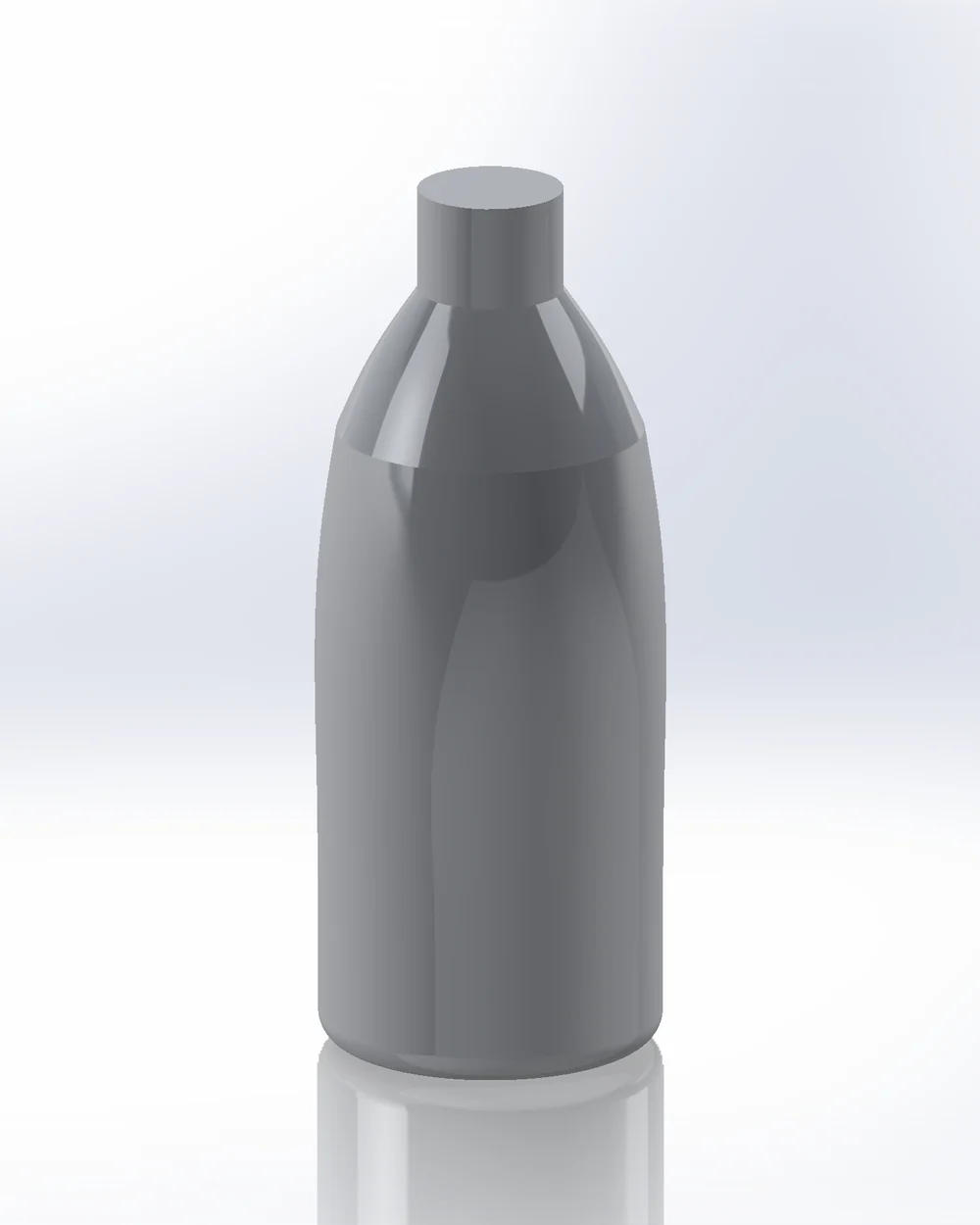
Before: plain bottle
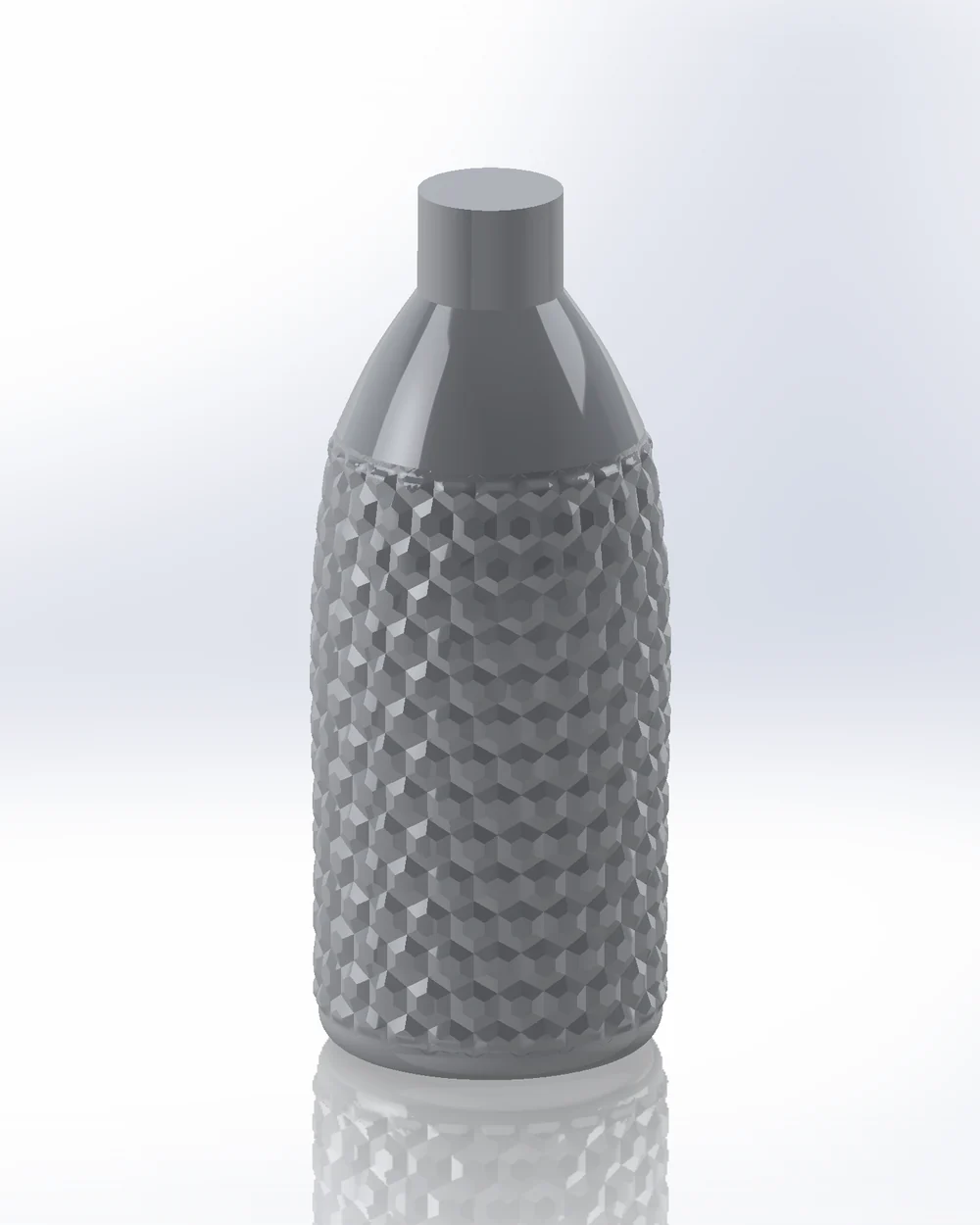
After: the same bottle with a hex relief
⇔
PLAINGEOMETRIC SURFACE
01

Real geometry

Exact NURBS surfaces as normal SOLIDWORKS geometry, for manufacturing, 3D printing and moulds.

02

Fully parametric

Every result is a feature you can edit. Change the pattern, it rebuilds.

03

Works on real parts

Closed bottles, vases, multi-face surfaces. Seams handled automatically.

04

See it before you build

A live 2D preview shows exactly what will be created.

05

Fast

Runs inside SOLIDWORKS. Thousands of shapes in one feature.

06

Your files stay yours

Parts rebuild without a licence and without a connection.

Works the way SOLIDWORKS works.
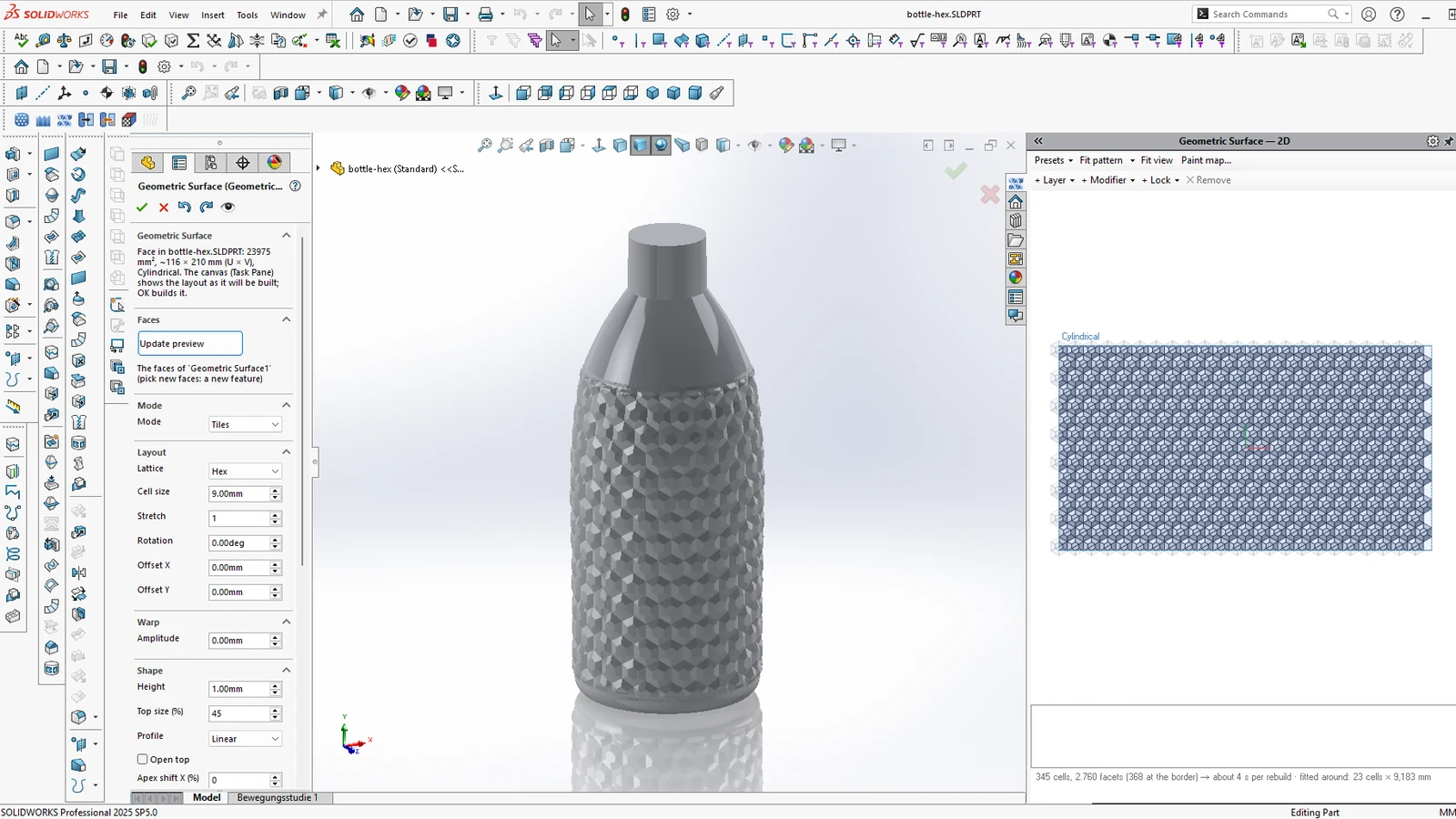
01 PropertyManagerSet inputs in the side panel you already know.
02 Live previewA 2D canvas in the Task Pane shows the result.
03 Feature treeA normal feature. Edit it, it rebuilds.
Geometric Surface in SOLIDWORKS: PropertyManager, preview canvas and the result
▶ 0:60 · Demo
The tools

Nine tools, one tab in the CommandManager.

01

Advanced Surface

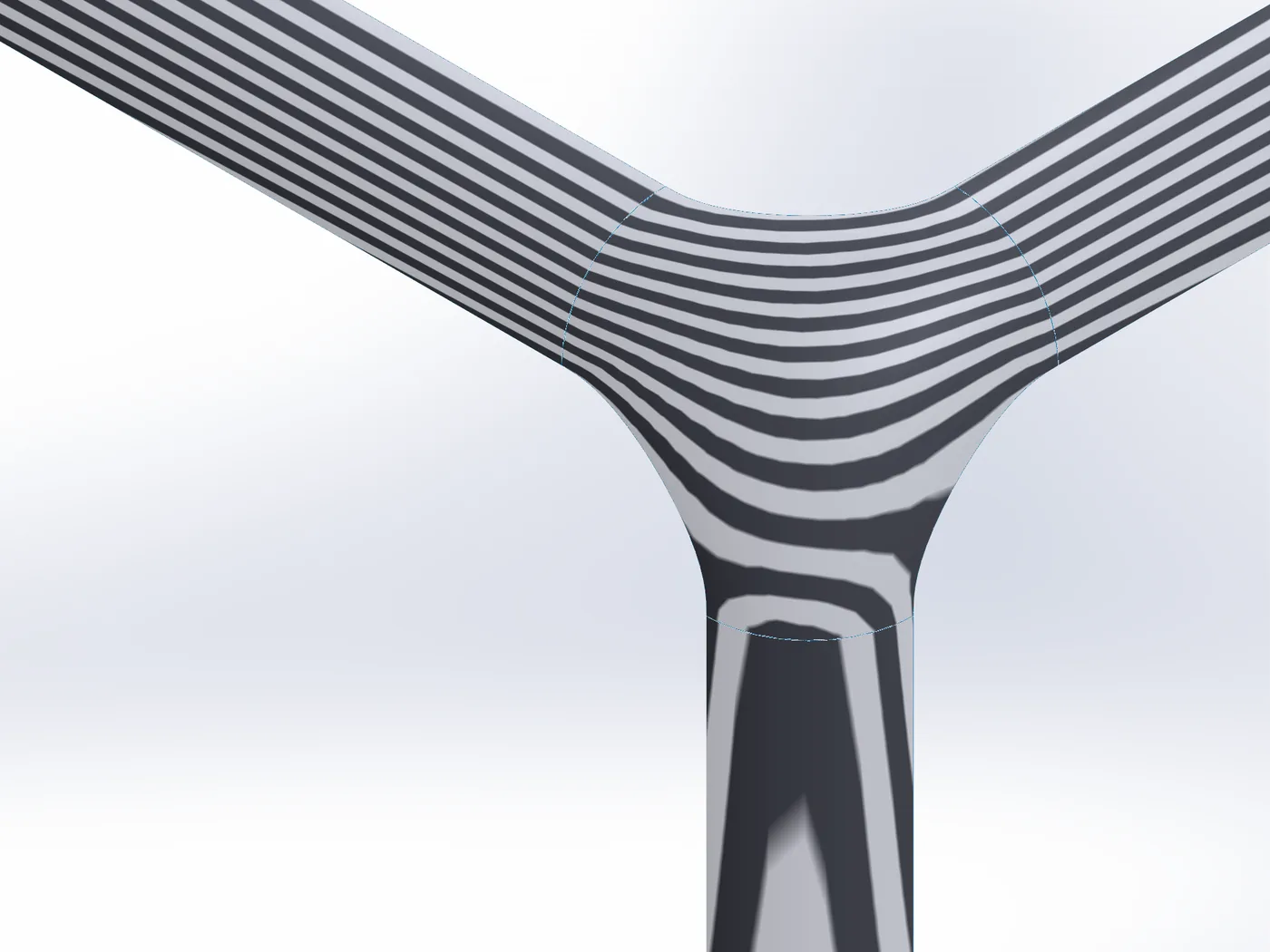
Fills a hole, a corner, a ring or the gap between separate surfaces with one smooth NURBS surface: in contact, tangent (G1) or curvature-continuous (G2) to every edge you pick. Free edges you control, constraint curves and points you can shape inside, and every edge measured after the build.
NewG0 / G1 / G2 per edgeCorners of filletsRingsFree edgesShaped constraintsMeasured edges
Read the docs →
Advanced Surface: three separate fillet surfaces joined at a corner, zebra stripes running smoothly through the new patch
02

Pattern Mapper

Places a 2D pattern onto any face, curved or flat. Grids, hexagons, Voronoi cells, spirals, random packing, or generative layouts. Output as a 3D sketch, or directly as emboss, deboss or split lines on the part. Modifiers vary size, rotation or depth across the surface.
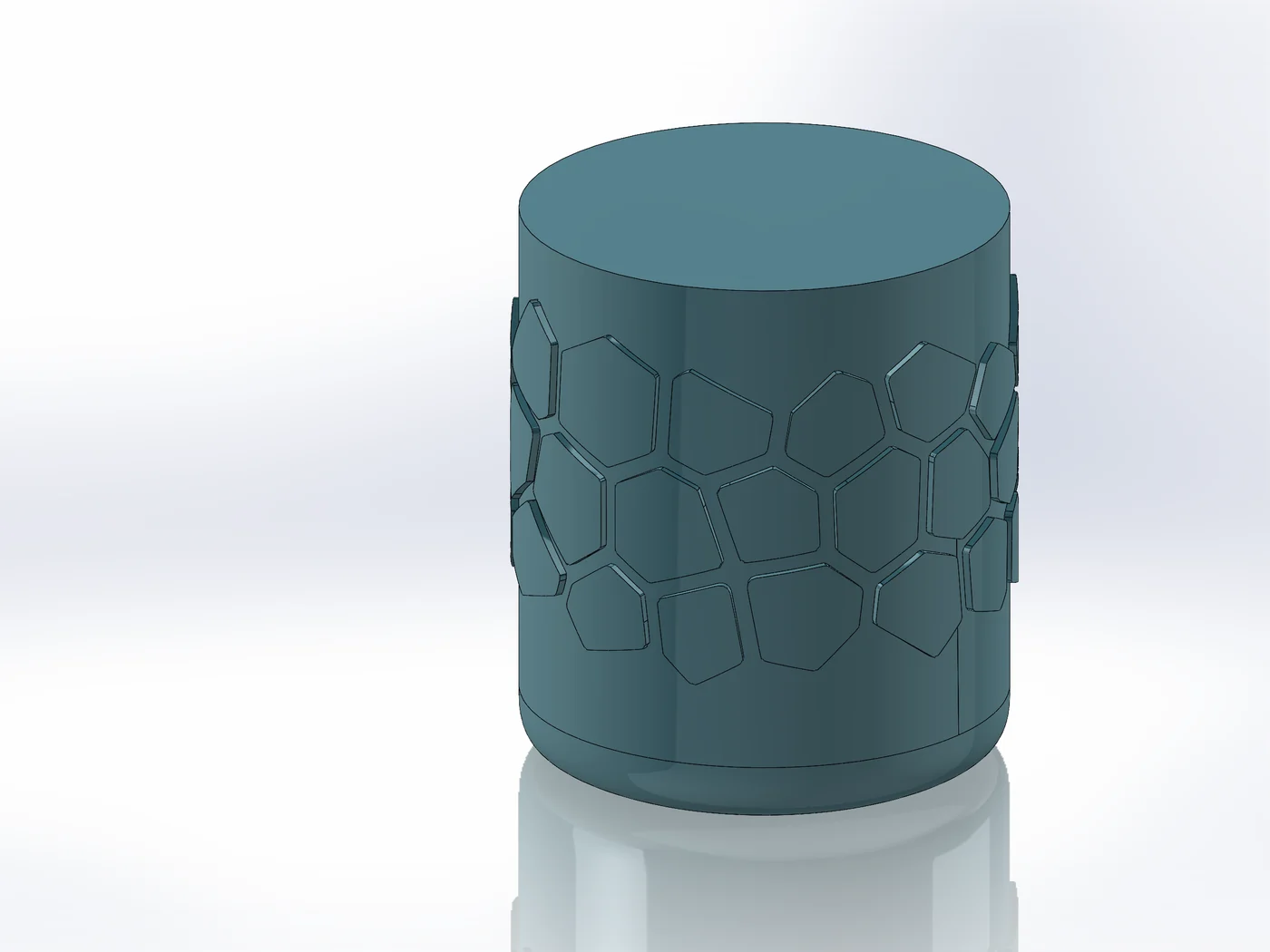
Grid / Hex / VoronoiSpiral / RandomGenerative layoutsEmboss / Deboss / SplitModifiers
Read the docs →
Pattern Mapper: Voronoi cells embossed around a jar
03

Pattern Bodies

Places solid bodies at every pattern point, or along edges and sketch curves, and adds them to or cuts them from the part. Boxes, cylinders, cones, spheres, pyramids, prisms or your own body. Thousands of bodies in one feature.
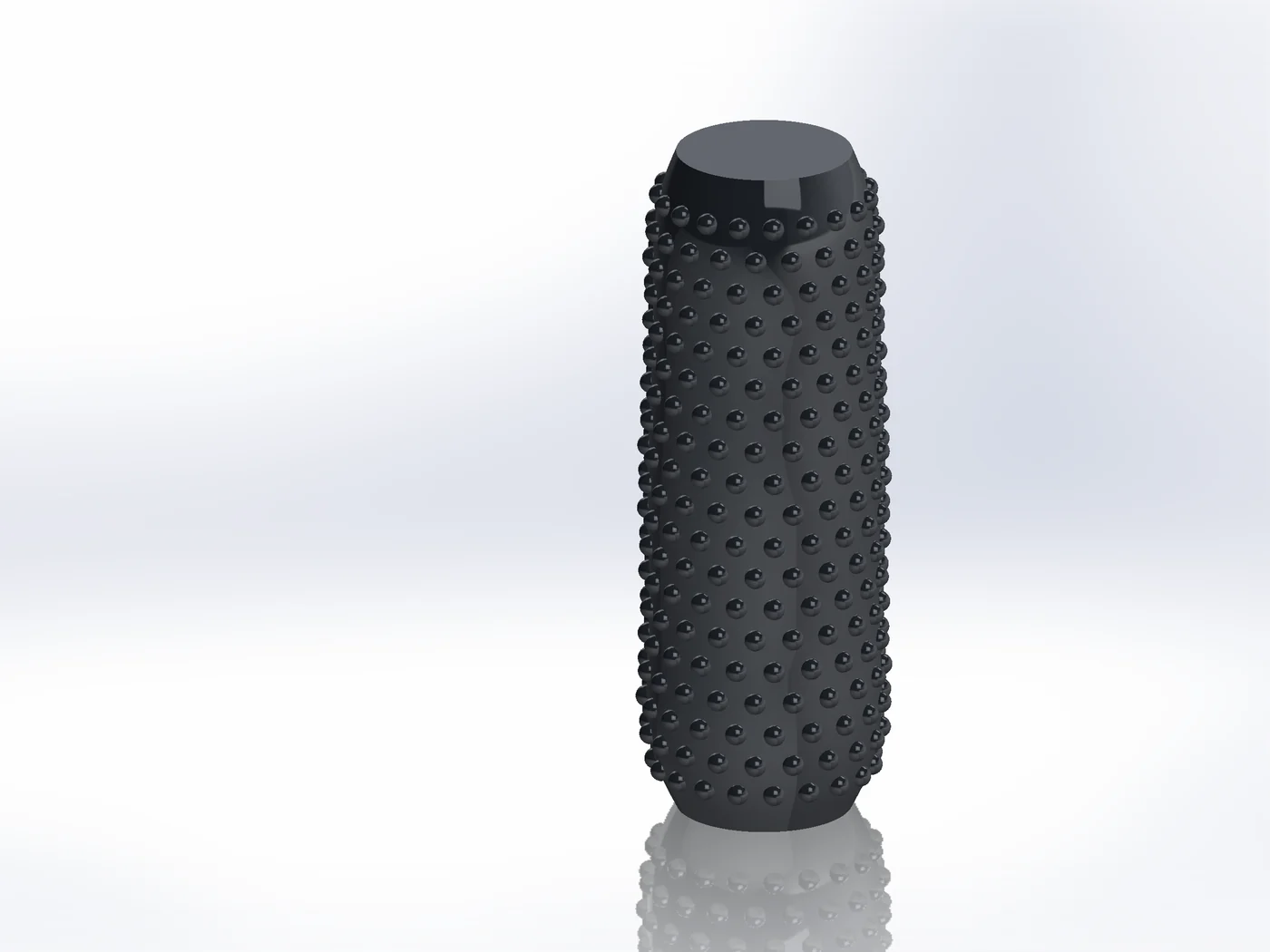
Box / Cylinder / ConeSphere / Pyramid / PrismCustom bodyAlong edgesAdd / Cut
Read the docs →
Pattern Bodies: spheres added around a grip
04

Surface Displace

Displaces faces with a grayscale image or a built-in texture as real NURBS geometry. Seamless around bottles and cylinders. Export a paint map, paint in Photoshop, bring it back exactly in place.
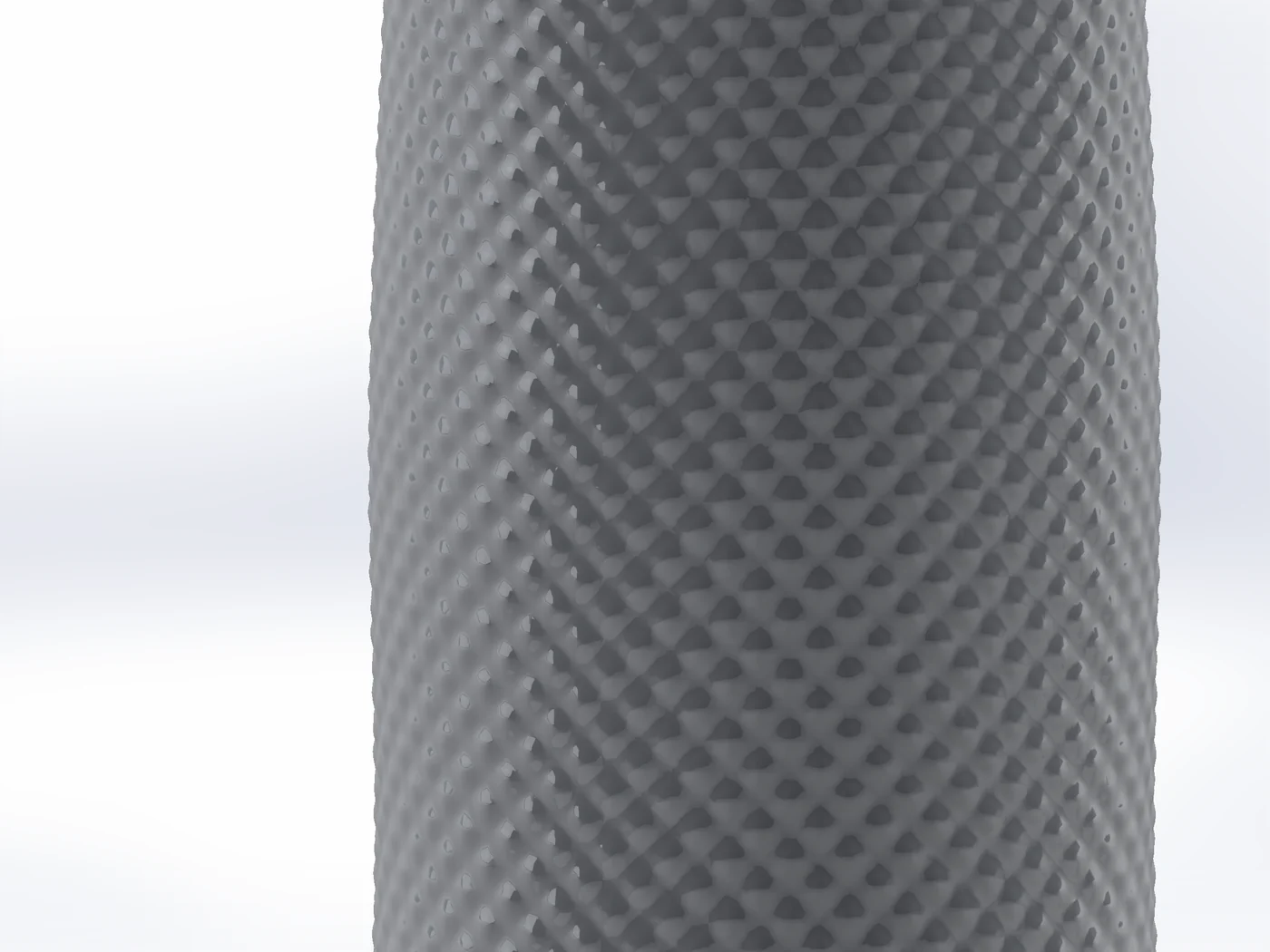
Leather / Knurl / WoodStone / Sand / HammeredBrushed / Cross-hatchPaint map export
Read the docs →
Surface Displace: diamond knurl on a grip, close-up
05

Geometric Surface

Wraps a lattice of geometric tiles with sharp creases around faces: pyramids, hexagons, diamonds, pillows, Voronoi facets, wavy strips, rings, spirals and sunflowers, or your own tile. Or draw crease lines and build faceted, origami-like surfaces.
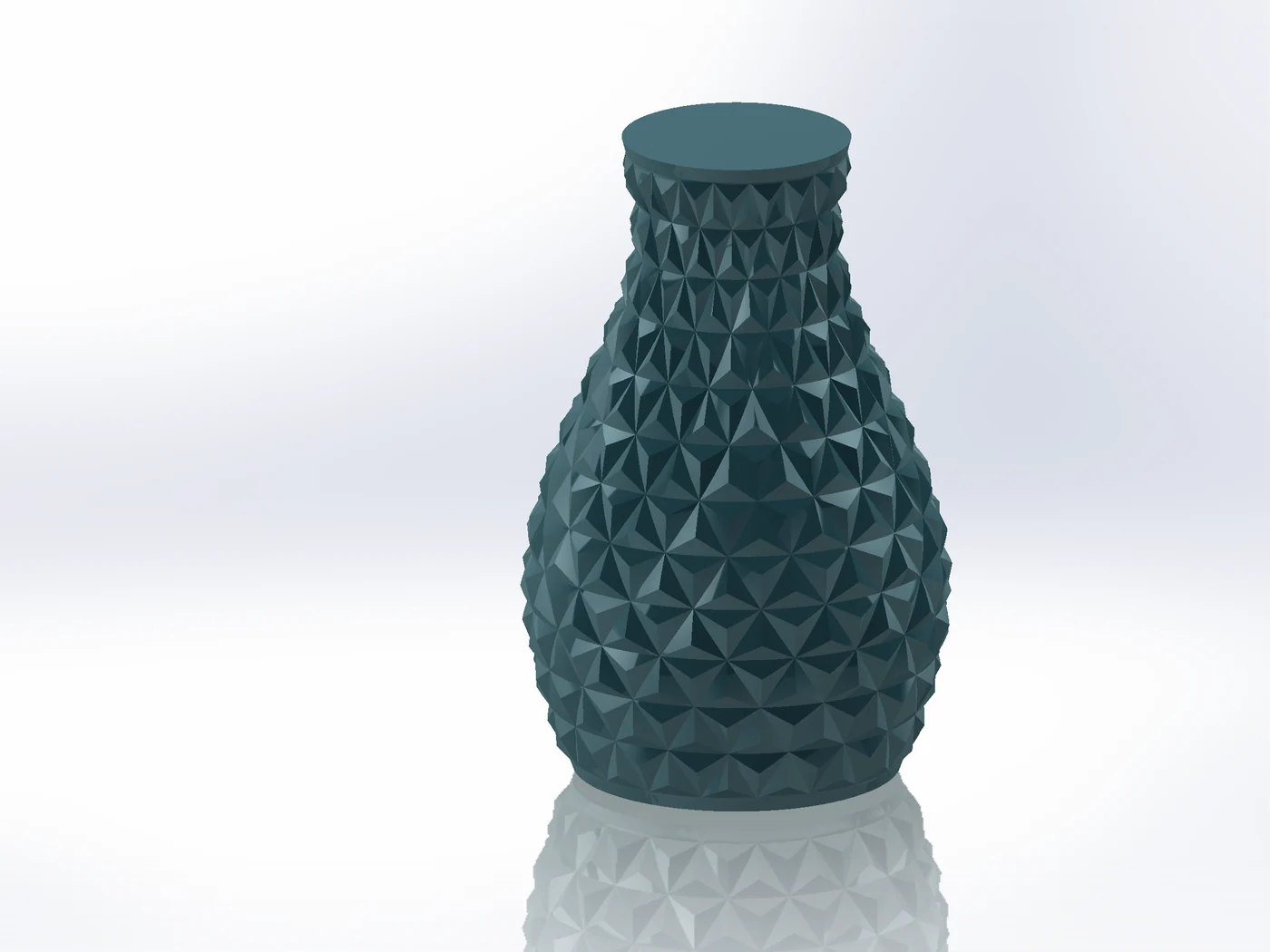
Pyramid / Hex / DiamondRings / Spiral / SunflowerPillow / VoronoiCustom tileCrease linesFollow edges
Read the docs →
Geometric Surface: triangle pyramids around a vase
06

Surface Wrap

Model a detail flat, such as a logo, grip or relief, and wrap it onto a curved surface while keeping its shape.
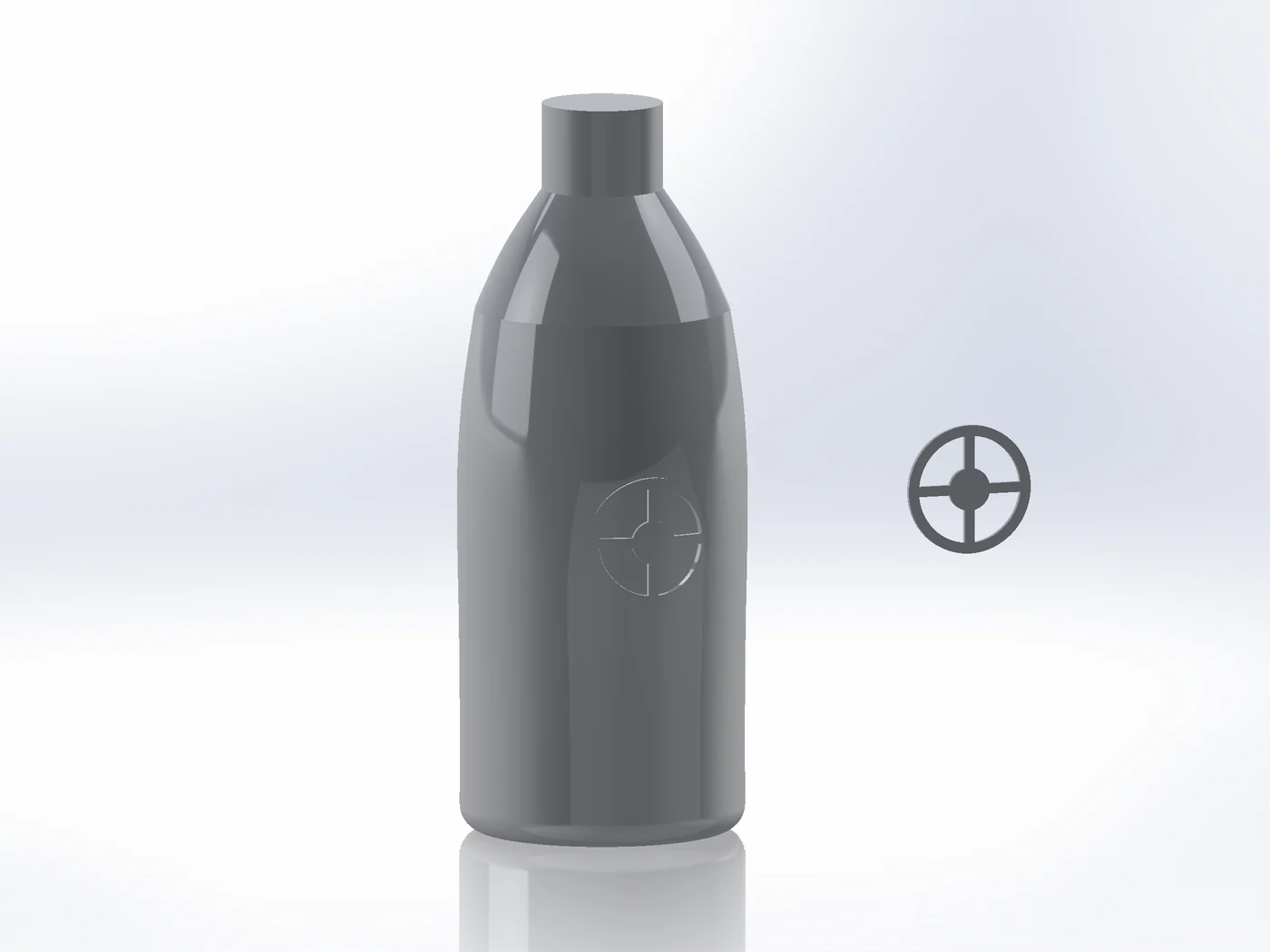
LogosGripsReliefs
Read the docs →
Surface Wrap: a flat badge (right) wrapped onto a bottle
07

Unwrap

Flattens curved faces into a flat layout beside the part. A base for modelling details in the flat.
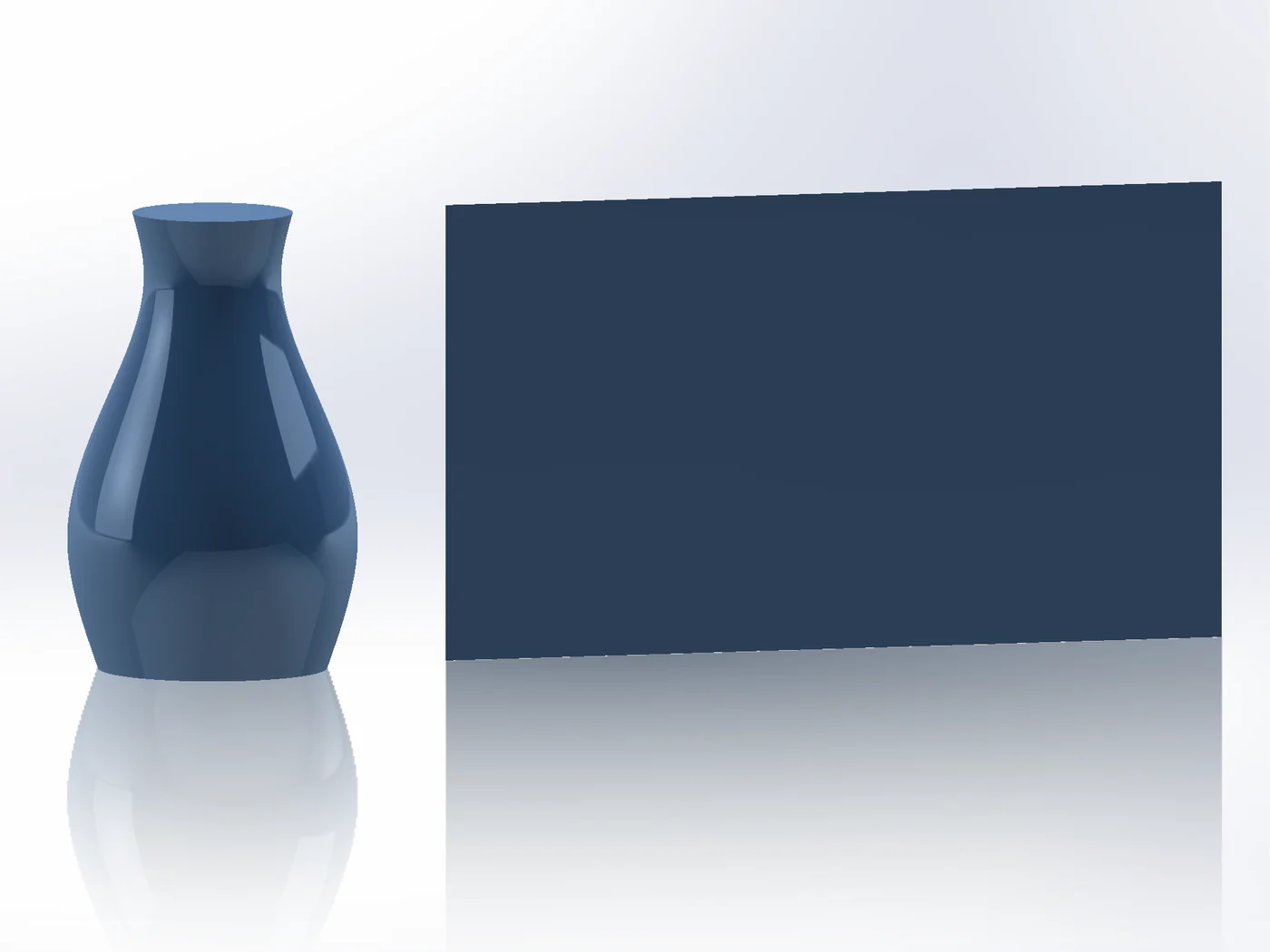
Multi-faceFlat layoutSeams
Read the docs →
Unwrap: a vase and its mantle laid flat beside it
08

Sketch Blend

Creates in-between curves in a 2D sketch, live and editable. Similar to the Blend tool in vector drawing apps.
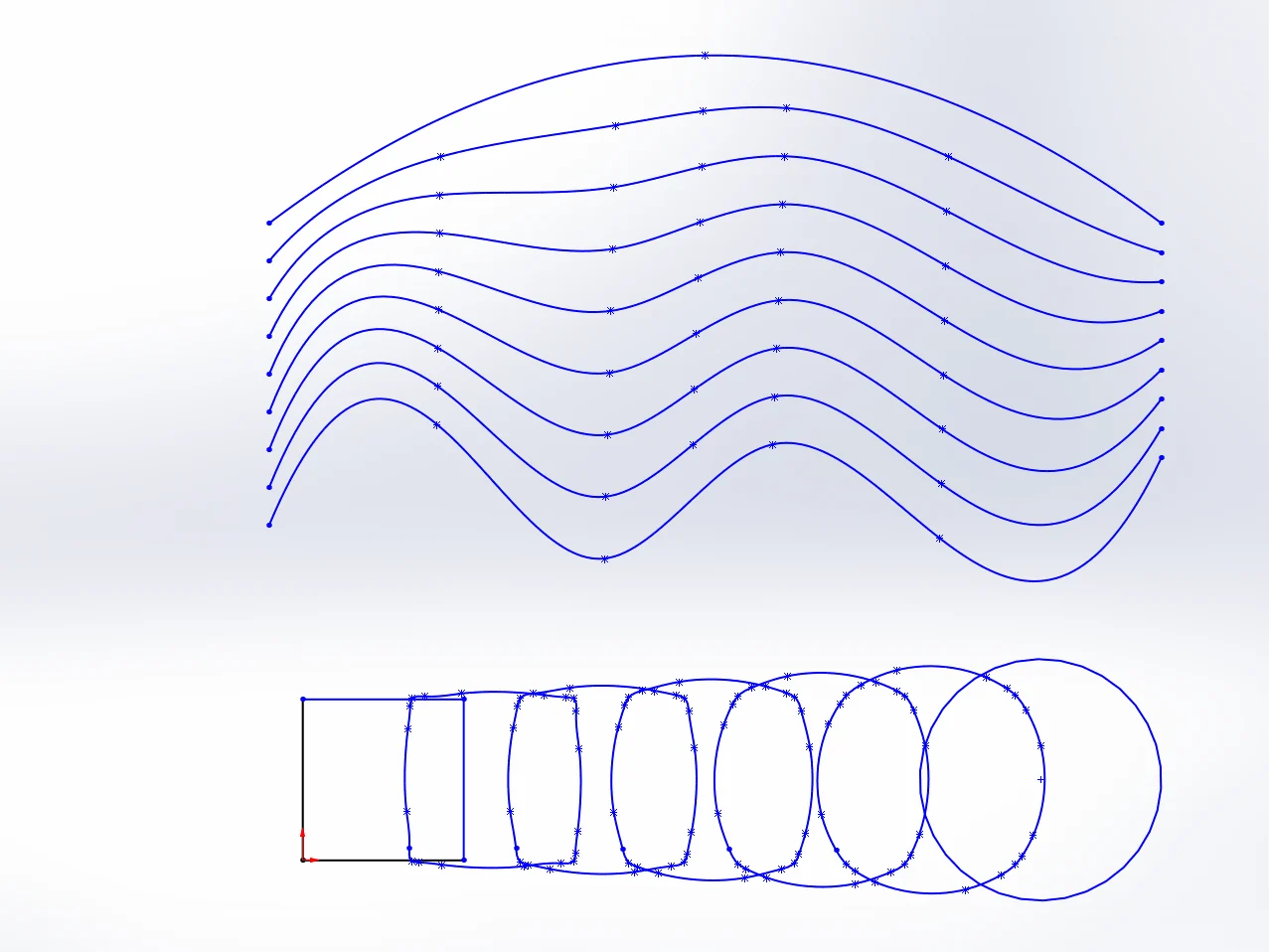
StepsLiveEditable
Read the docs →
Sketch Blend: in-betweens from a square to a circle and between two curves
09

Render Export

Exports the part as FBX or glTF for Cinema 4D, Blender and other renderers, with SOLIDWORKS appearances as materials and clean UV maps.
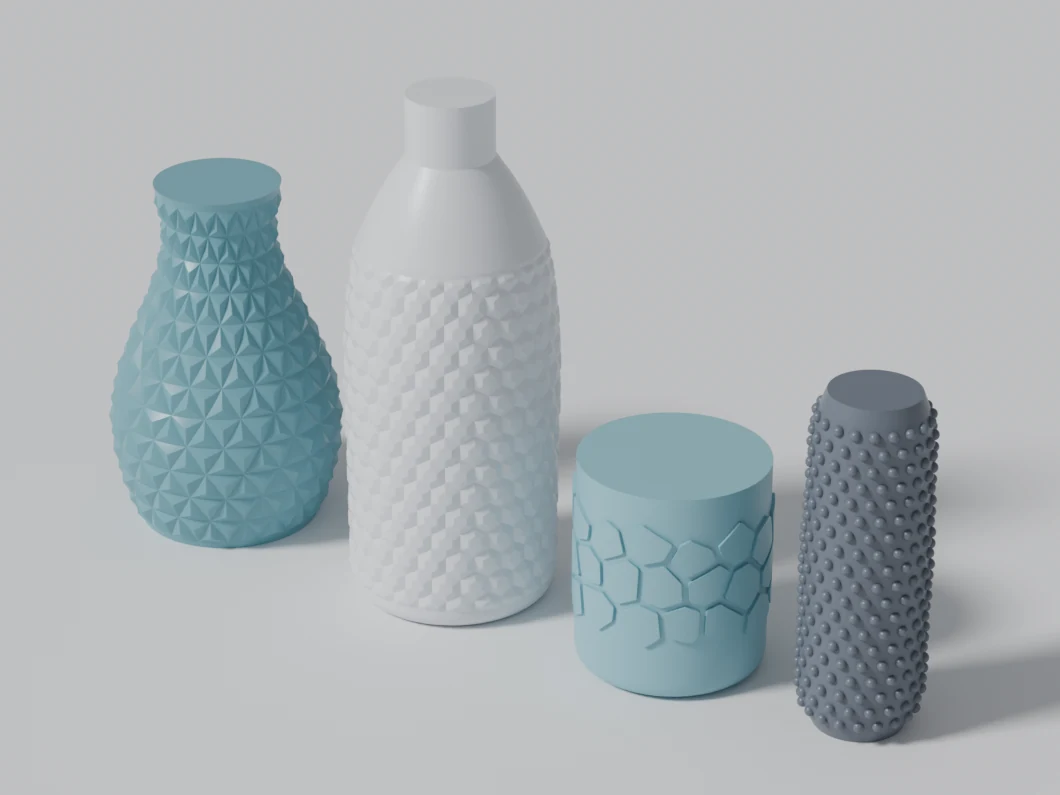
FBXglTFMaterialsUV maps
Read the docs →
Render Export: parts exported as FBX and rendered in Blender
How-to

The questions SOLIDWORKS users keep asking.

Model knurlingSOLIDWORKS has no knurl command: the usual routes are a cosmetic appearance or helical sweep cuts patterned around a cylinder, which rebuild slowly and fail on tapered or curved grips.
Add a real texture to a curved surfaceAn appearance or decal only changes how the part renders, and 3D Texture turns the whole body into a mesh.
Emboss or deboss text on a curved surfaceThe Wrap feature embosses a sketch onto one face and distorts it, or refuses, on doubly curved faces.
Put a hexagon (honeycomb) pattern on a bottle or curved surfaceFill Pattern only fills planar faces and Wrap works on one simple face, so a honeycomb on a bottle that is not a cylinder usually ends in projected sketches that will not extrude.
Make a Voronoi patternSOLIDWORKS has no Voronoi tool; the usual route is Grasshopper or a generator website, then importing curves that are hard to put on a curved part.
Pattern holes, dimples or bumps normal to a curved surfaceCurve and sketch driven patterns place features one by one, often tilt some of them the wrong way on curved faces, and get slow in the thousands.
Wrap a sketch onto a sphere or doubly curved surfaceWrap only takes planar, cylindrical and conical faces without distortion; its Spline Surface method distorts on doubly curved faces and works on one face.
Turn a displacement map (heightmap) into SOLIDWORKS geometryDisplacement in Blender or Rhino gives a mesh that cannot become a clean STEP, and SOLIDWORKS 3D Texture gives a mesh body too.
Flatten a curved surface, model on it and wrap it backSurface Flatten (SOLIDWORKS Premium) lays faces flat, but there is no built-in way to bring what you model on the flat back onto the part.
Model a faceted, low-poly or pyramid surfaceFaceted surfaces with sharp creases are hard in SOLIDWORKS: boundary surfaces facet by facet take hours, and textures cannot make crisp creases.
Export SOLIDWORKS parts to FBX or glTF with materials and UVs (Blender, Cinema 4D)SOLIDWORKS does not save FBX or glTF, so people go through other software and then fix the UVs by hand.
SOLIDWORKS 3D Texture and Wrap: limits and an alternative for real geometry3D Texture converts a body with a texture appearance into a mesh (graphics) body, and Wrap embosses one sketch onto one simple face.
Fill a hole with a curvature-continuous (G2) surfaceSOLIDWORKS’ Filled Surface offers a Curvature condition per edge, and for many holes it is enough.
Make a smooth corner where three fillets of different radii meetWhere fillets of different radii meet at a box corner, SOLIDWORKS builds its own corner patch, and zebra stripes often show a break in it.
Join separate surfaces smoothly or bridge a gapFilled Surface needs a closed boundary, so it refuses the edges of separate surfaces.

System requirements

Try every tool free for 14 days. Parts keep rebuilding even without a licence.

OS
Windows 10 / 11, 64-bit
SOLIDWORKS
2023 or newer
Documents
Parts (not assemblies or drawings)
Internet
At SOLIDWORKS start (7 days without)
Licence
1 user, one-time purchase